The dossier · 16 exhibits

Everything between the LOI and the steering committee.

Sixteen capabilities, one chain of custody — grouped into the four acts of a deal. Each surface ships in your workspace, configurable to your playbook.

I
Act I · §0104

Assess

Run the questionnaire, ingest the data room, scan the surface. Every answer cited or attributed.

01§ 01

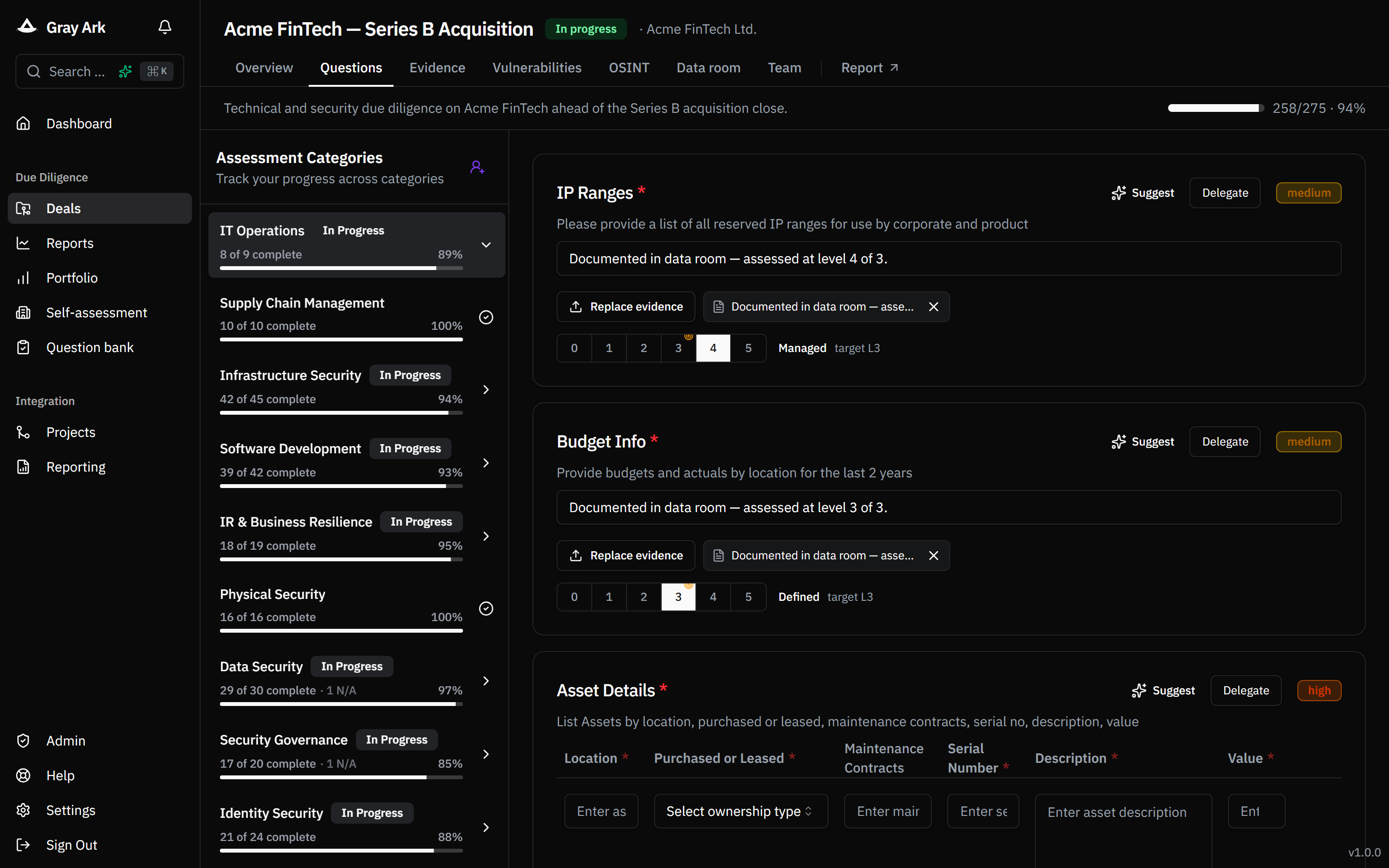
Structured assessments

Run rigorous, repeatable due diligence using a library of managed question collections plus your own custom questions, organised across thirteen categories spanning governance, identity, data, infrastructure, software development, supply chain, HR, IR & business resilience, physical security, certifications and more.

  • Question collections templated and versioned per playbook
  • Conditional logic hides categories that don't apply to a target
  • Per-question target maturity (CMMI 0–5) with gap-to-target highlighted
Assessment grid with category sidebar and maturity selector
02§ 02

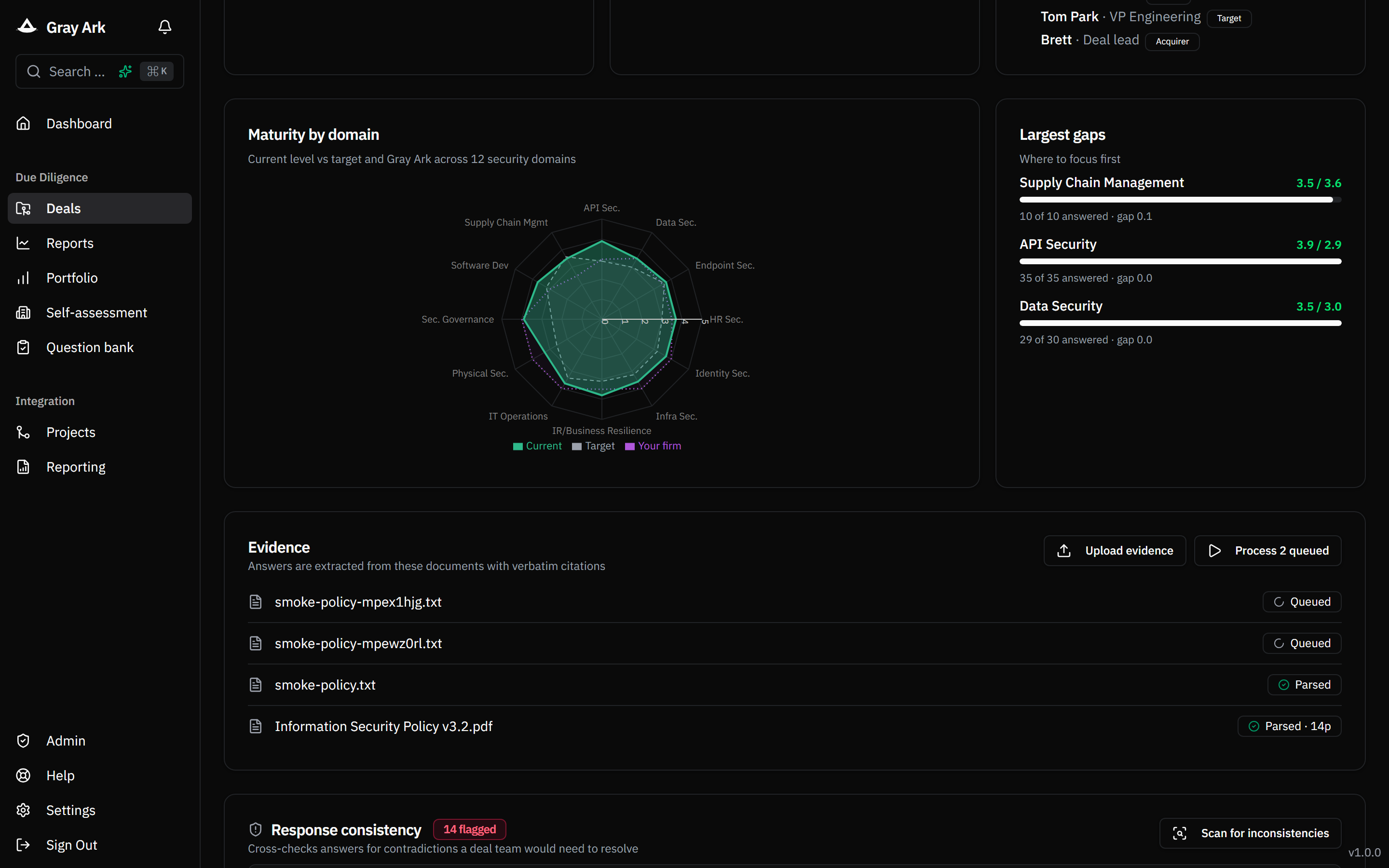
Evidence ingestion with cited answers

Drop policy PDFs, SOC 2 reports, architecture diagrams or pen-test reports into a deal. The platform parses them and proposes answers — but only when it can cite a verbatim passage from the document. Every suggestion arrives with a doc + quote a reviewer can accept, reject, or amend.

  • Server-side parsing pipeline with PDF/DOCX fallbacks
  • Citation validation drops any answer whose quote isn't in the parsed doc
  • Confidence score on every suggestion; accept/reject persists who reviewed it and when
Evidence upload list with parsed documents and cited-answer review
03§ 03

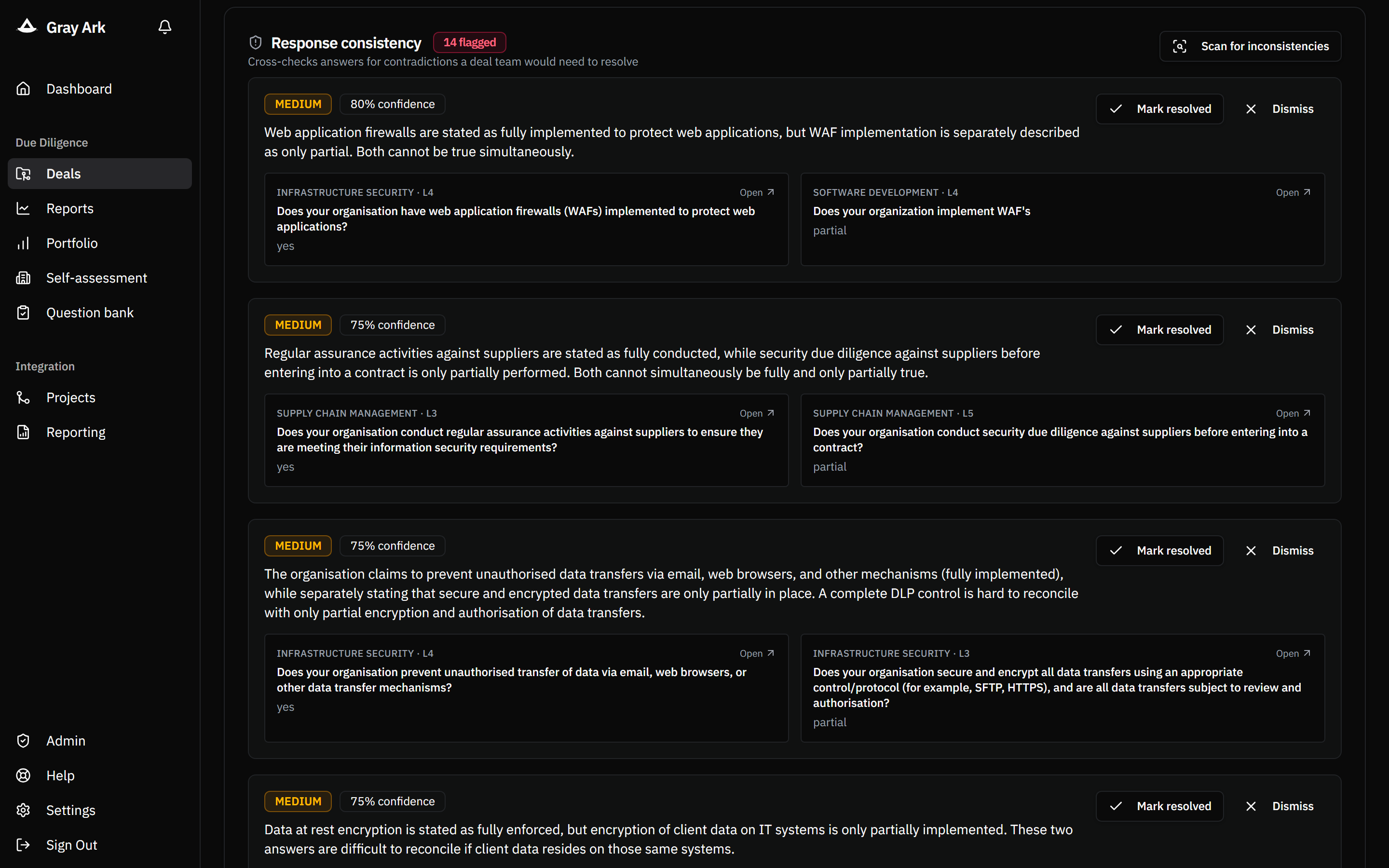
AI consistency checks

Once enough answers are in, one click finds pairs of responses that contradict each other. Every flagged finding carries a severity, a confidence score, and both sides of the contradiction with their category and maturity level — so the deal team resolves the disagreement before sign-off.

Inconsistency panel with severity and confidence badges
04§ 04

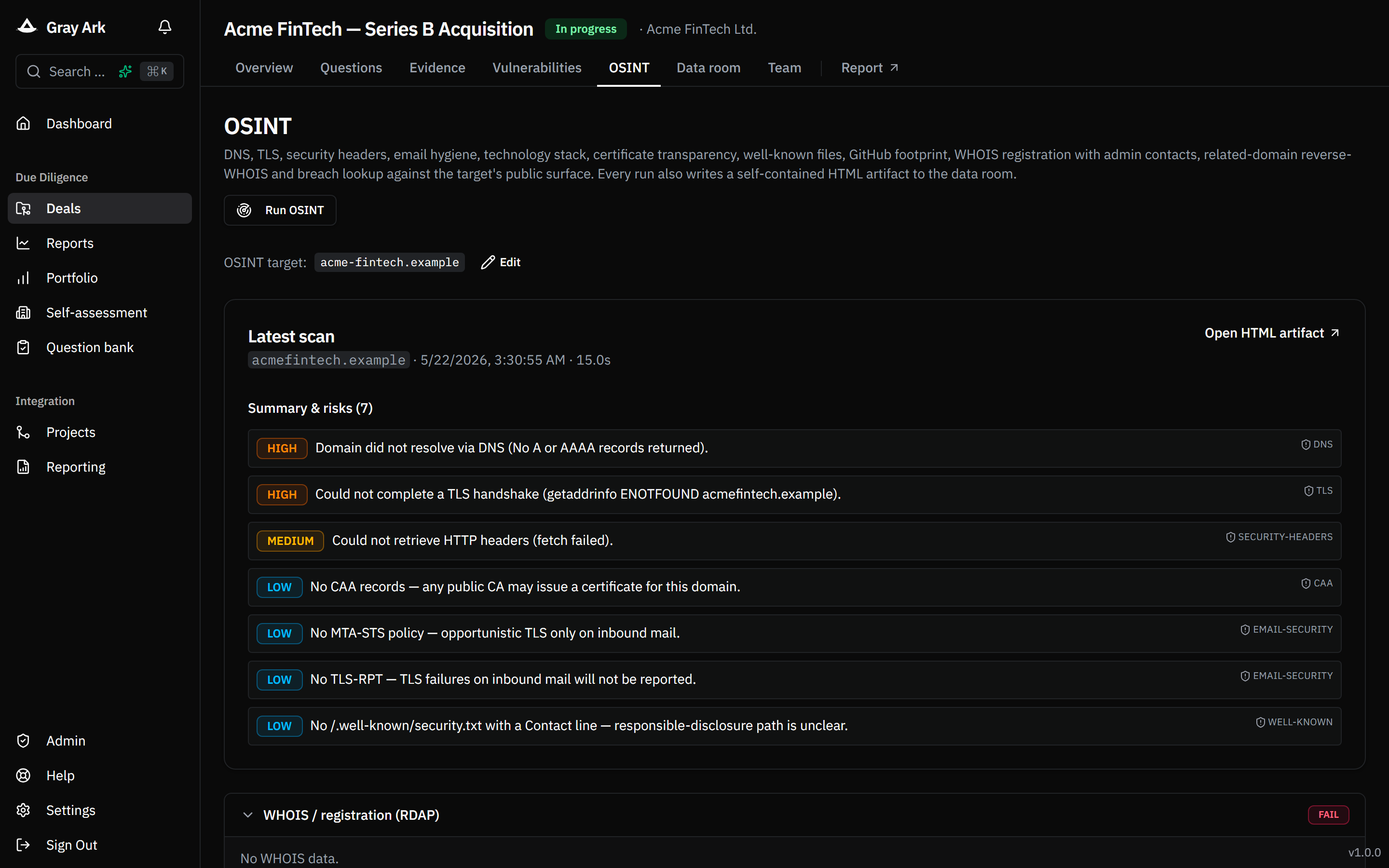
OSINT scan per target

A selectable external-surface scan on every acquired entity, attached to the deal as a data-room artifact. Results land as Markdown so reviewers can audit how the conclusion was reached — and re-running produces a comparable artifact so drift is visible.

  • DNS records, SPF and DMARC posture
  • HTTP security headers (HSTS, CSP, X-Frame, etc.)
  • TLS certificate validity, protocol, expiry
  • Certificate Transparency subdomain enumeration
  • Optional breach lookup for the target domain
OSINT card with severity-tagged risks
II
Act II · §0508

Score

Roll up maturity and risk against your own baseline and your deal history — same yardstick, every target.

05§ 05

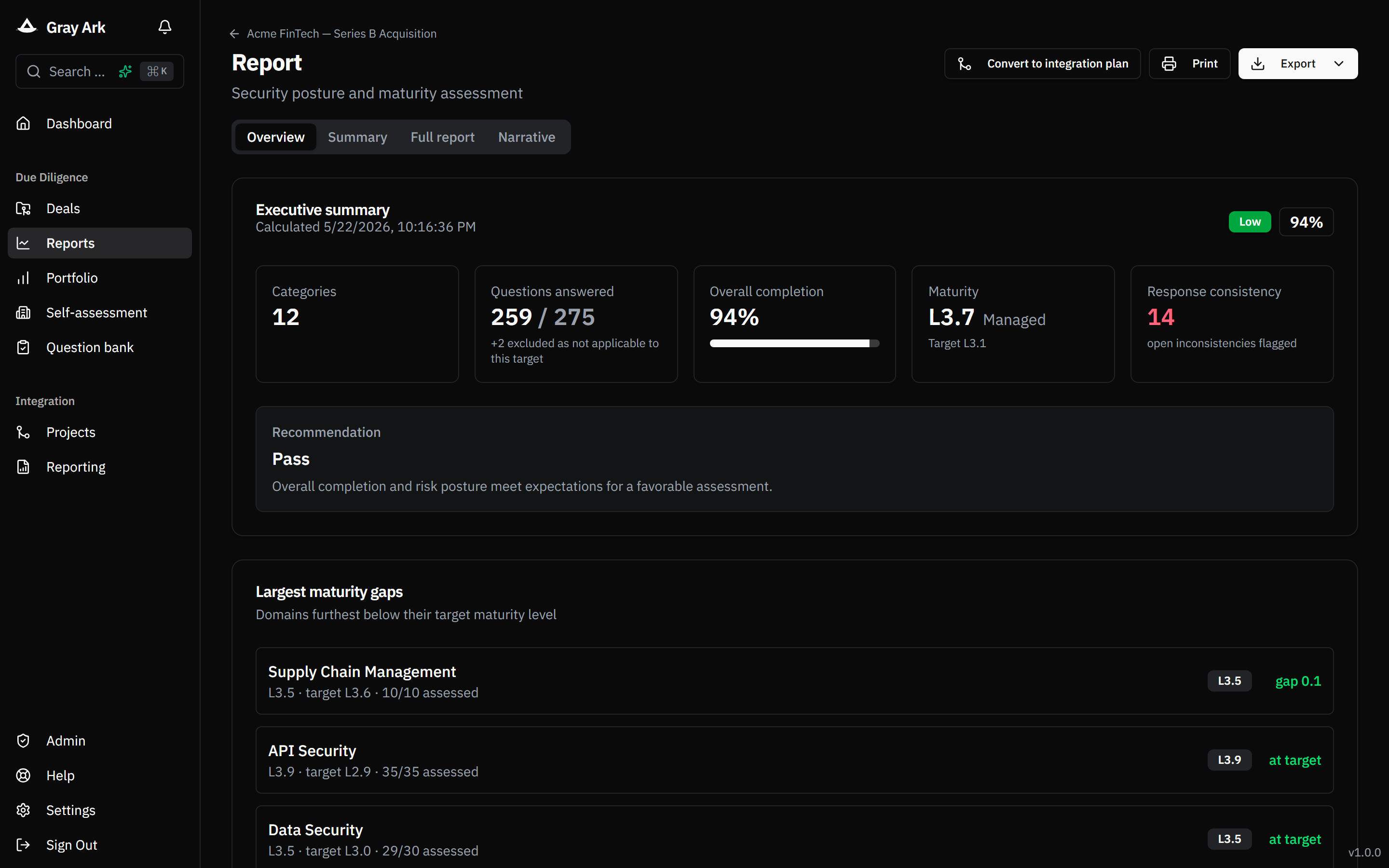
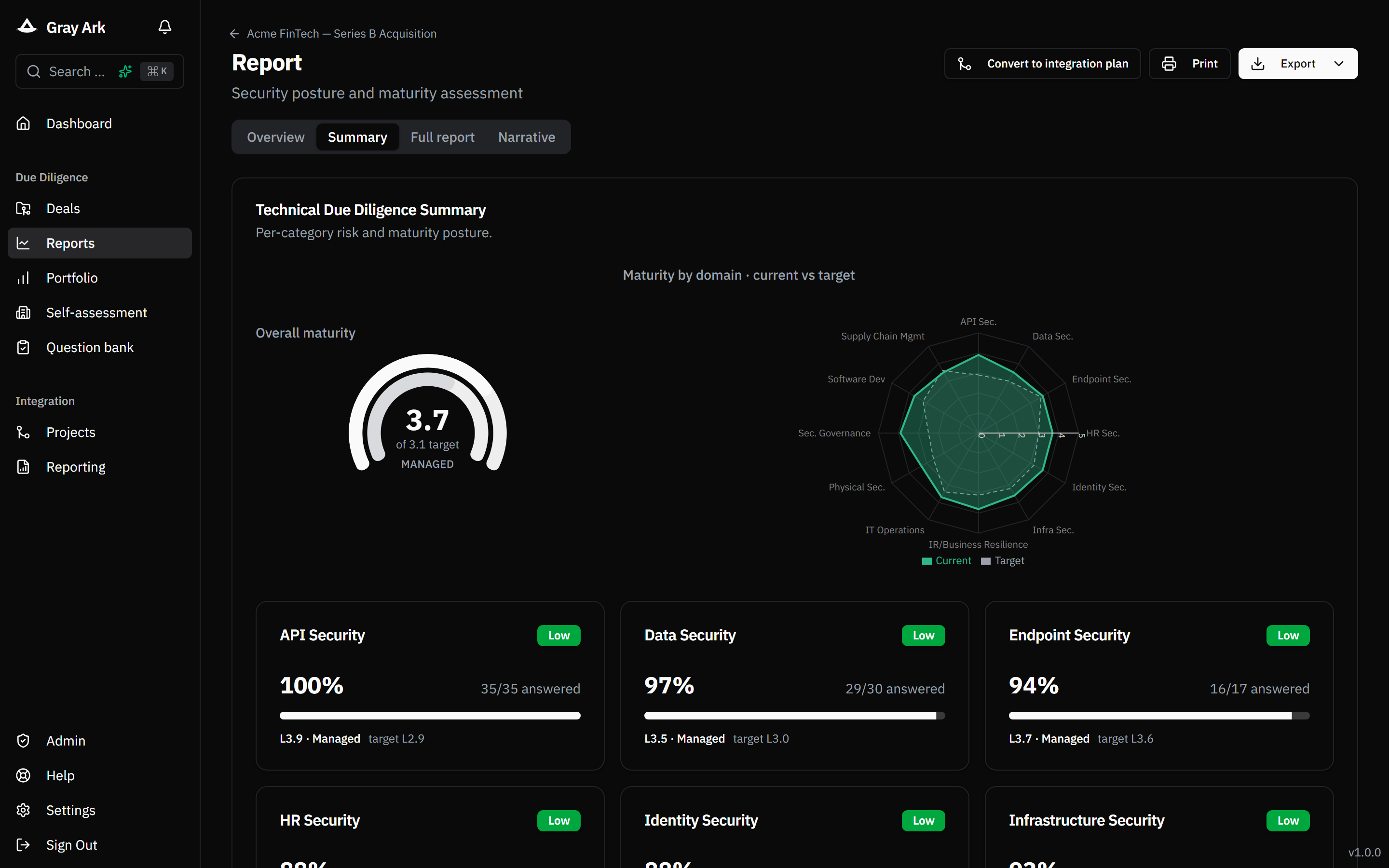
Scoring, maturity, and risk

Per-category coverage and CMMI-style maturity roll up into an overall score and risk tier. Risk-tier cutoffs are configurable per acquiring firm — tighten them for a security-led mandate or loosen for early-stage deals.

  • Configurable risk thresholds (admin-managed)
  • N/A questions excluded from the denominator
  • Maturity gap vs target and vs your firm's own self-assessment
Executive summary with overall score and risk tier
06§ 06

Acquirer self-assessment + benchmark

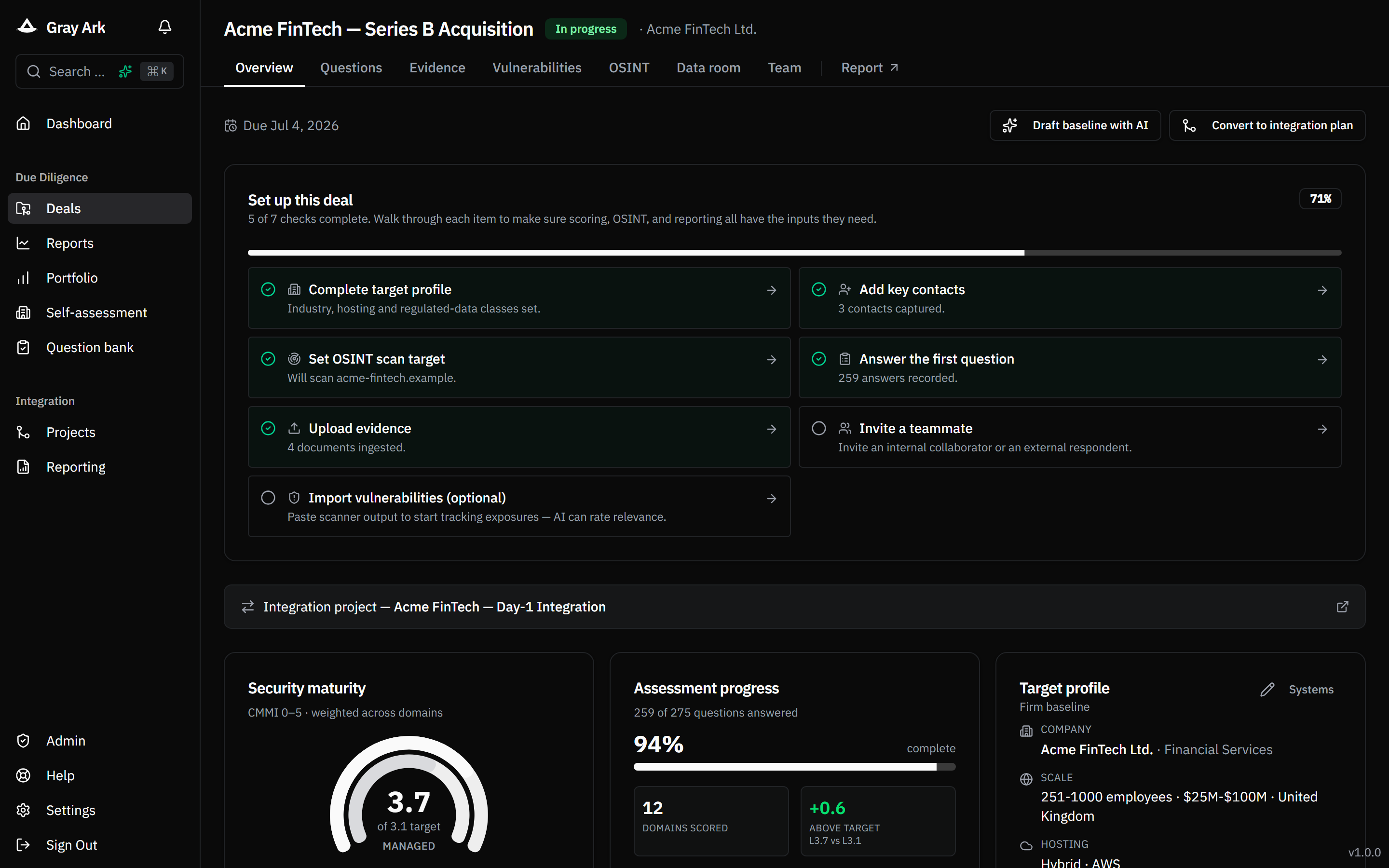
Run the same questionnaire on your own firm once. From then on every target shows a true maturity delta against your baseline — and the DD-to-PA conversion automatically emits “uplift to our level” and “migrate to our systems” tasks instead of generic remediations.

Per-deal overview with target profile, setup progress and domain coverage
07§ 07

Risk-pattern matching

Each new target is compared against historical deals on its per-category maturity profile. The closest peer and the shared weak spots are surfaced, along with the post-acquisition outcome if that peer has completed integration — so reviewers ground their assessment in what happened last time.

Risk-pattern card with closest-match column
08§ 08

Inconsistencies, confidence and audit

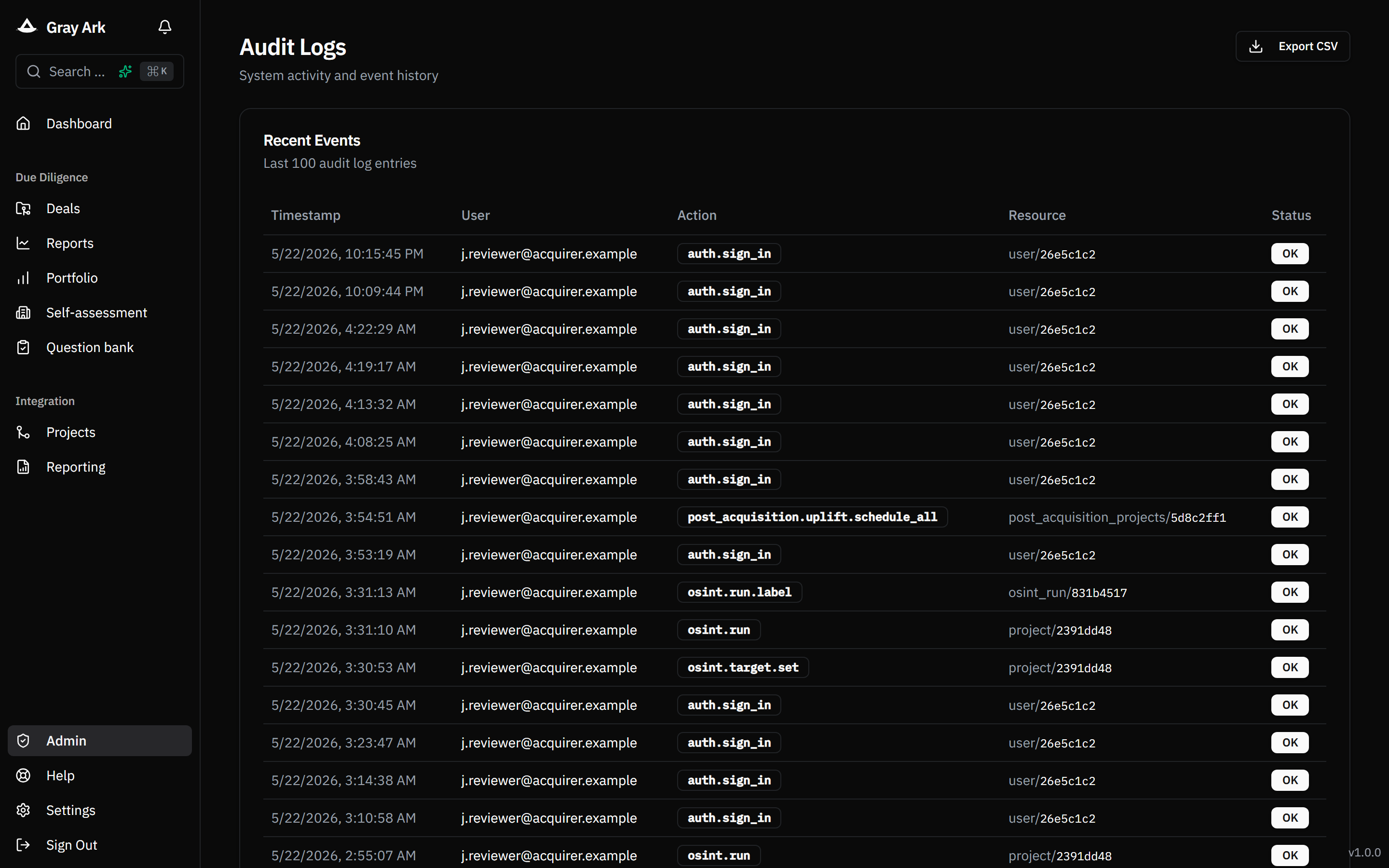
Every AI suggestion, every accepted citation, every consistency flag, every schedule action — recorded in an audit log. Severity and confidence are shown on the inconsistency panel and propagate to the printed report.

Audit log filtered to the last 24 hours
III
Act III · §0912

Report

Produce the decision artifact and, on close, convert it straight into the integration plan.

09§ 09

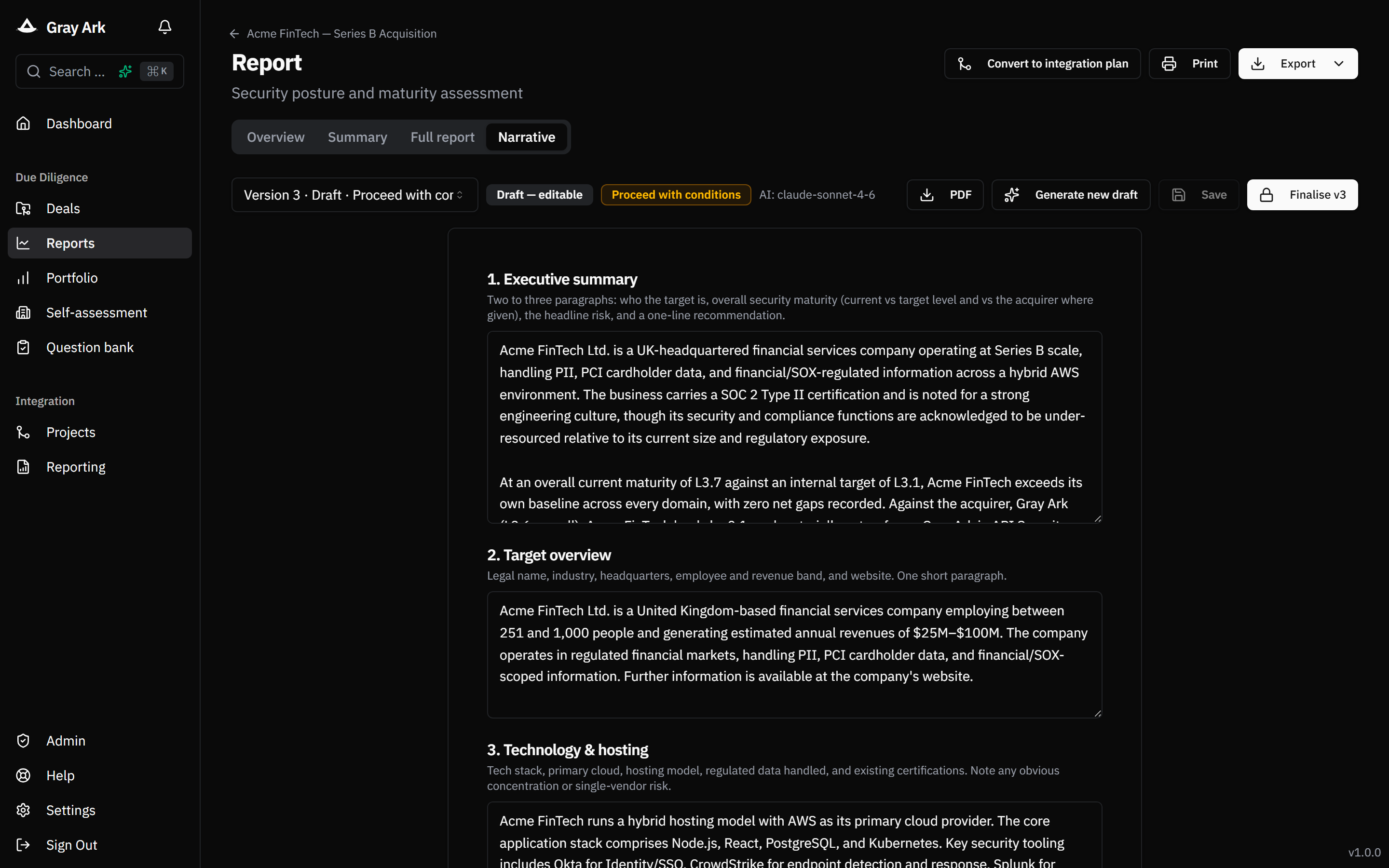
Narrative DD report

The decision artifact. An AI-drafted, human-edited, eight-section written report covering executive summary, target overview, technology & hosting, security posture, key findings, evidence base, key contacts and recommendation. Editable inline, versioned, locked on publish, exportable as an A4 PDF.

  • “Save as version N” makes the version immutable
  • Editing a final version forks a new draft
  • Evidence appendix auto-generated from accepted citations
Narrative report editor with versioned sections
10§ 10

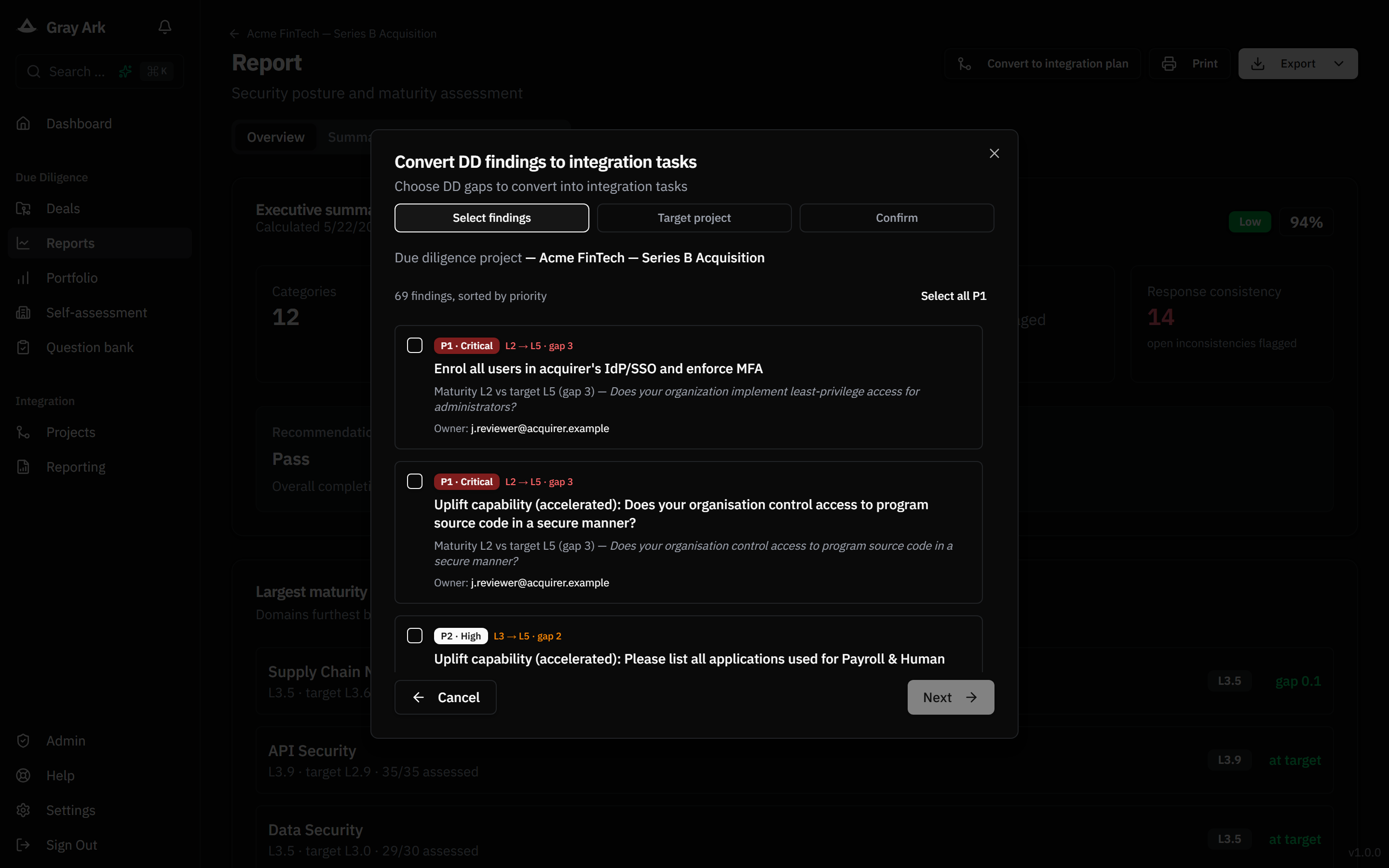
DD → integration plan, one click

Convert a closed assessment into a post-acquisition project. Gaps become prioritised tasks routed automatically to the right function owner with reference durations from your playbook. System migrations and maturity uplifts are scheduled separately.

Conversion wizard with migrate, uplift and remediate findings
11§ 11

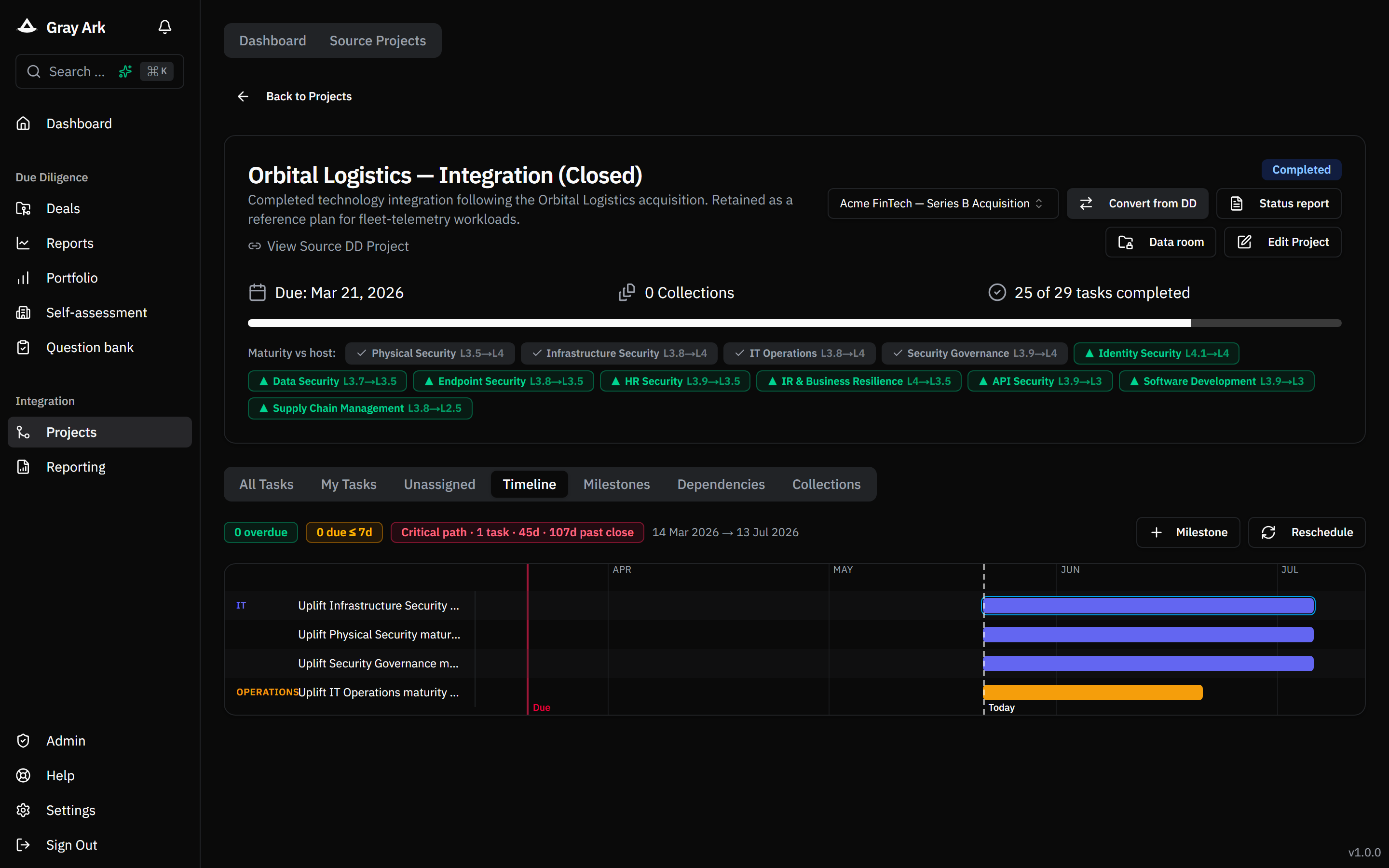
Post-acquisition execution

Gantt with critical-path highlighting, dependency lines, milestone flags, and per-task slip-risk. Velocity rolls up by function and is benchmarked against your reference timing. Weekly snapshots feed week-over-week trend on the index card.

Gantt with critical path ringed and overdue tasks tinted
12§ 12

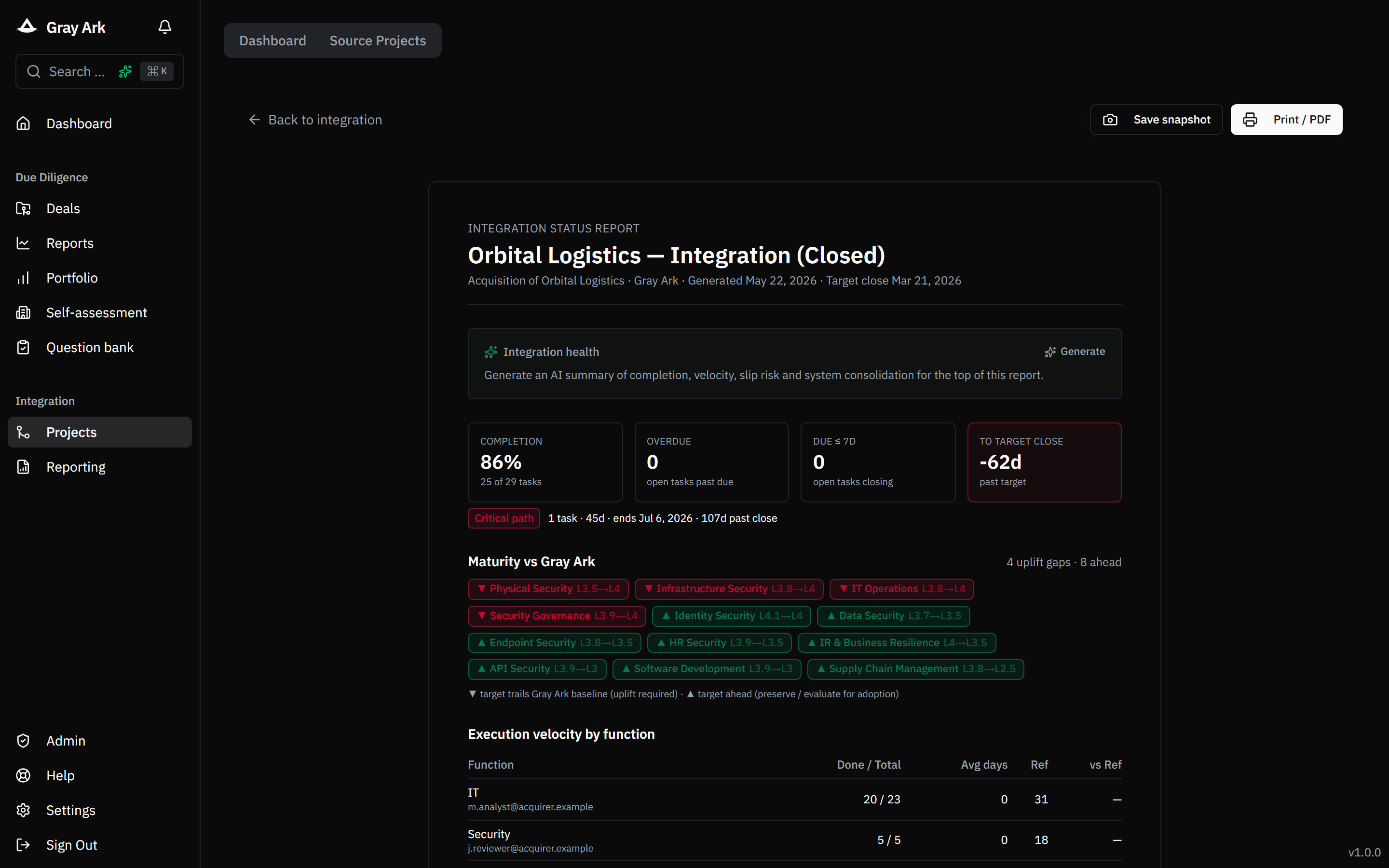
Steering-committee one-pager

A4 printable PA status report per integration: headline metrics with delta-vs-snapshot chips, AI-generated health verdict, velocity table, system-consolidation rows with one-click “Schedule”, maturity-vs-host strip, top overdue tasks with owner attribution.

Printable PA status report
IV
Act IV · §1316

Operate

Portfolio-wide analytics, controlled access, API and webhooks, and operational telemetry.

13§ 13

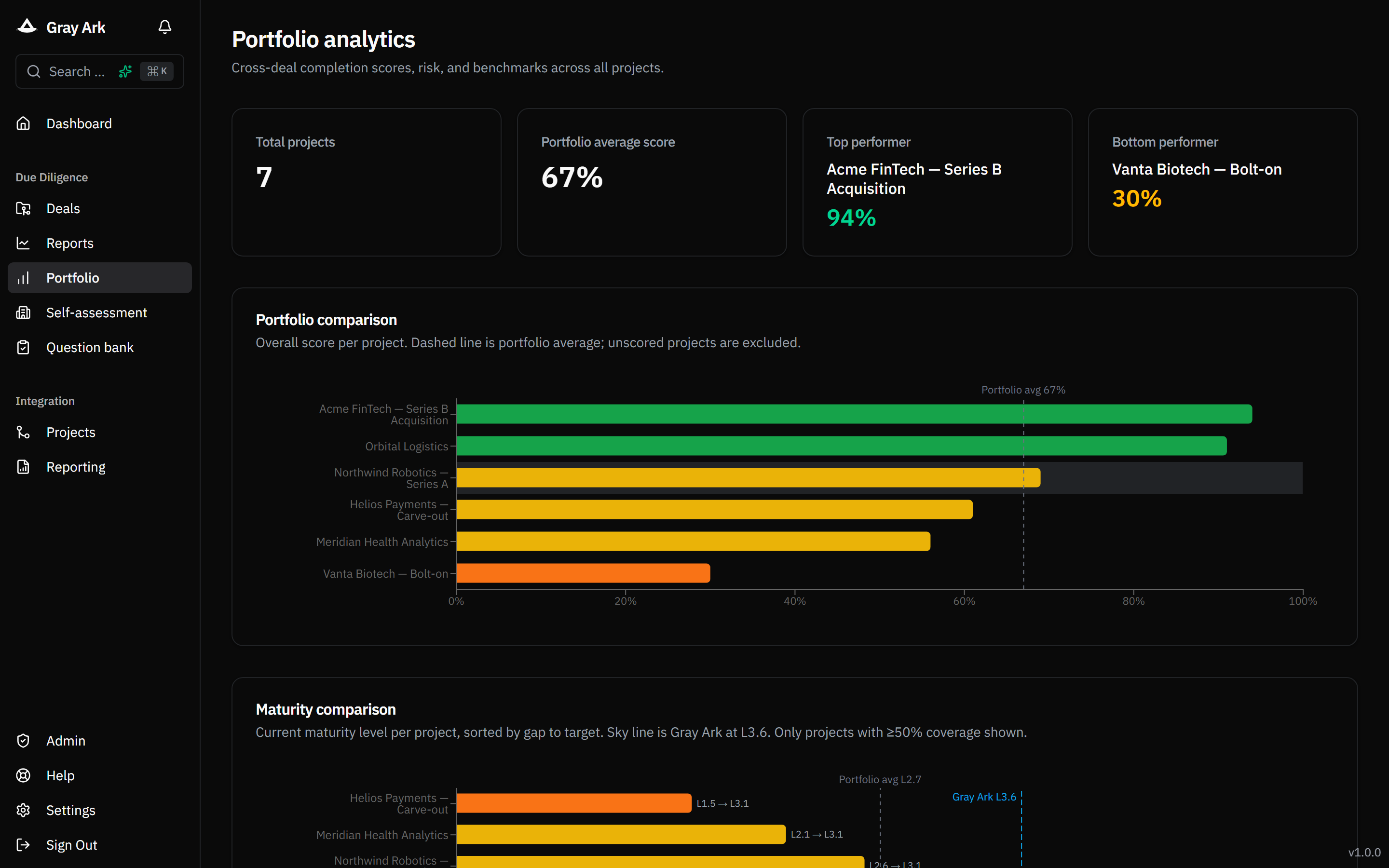
Portfolio analytics

Score, percentile, maturity, complexity and risk tier across every deal. Vintage trend per quarter. Sector breakdown by industry. Host reference line and per-deal delta against your firm's own baseline.

Analytics page with trend chart and projects table
14§ 14

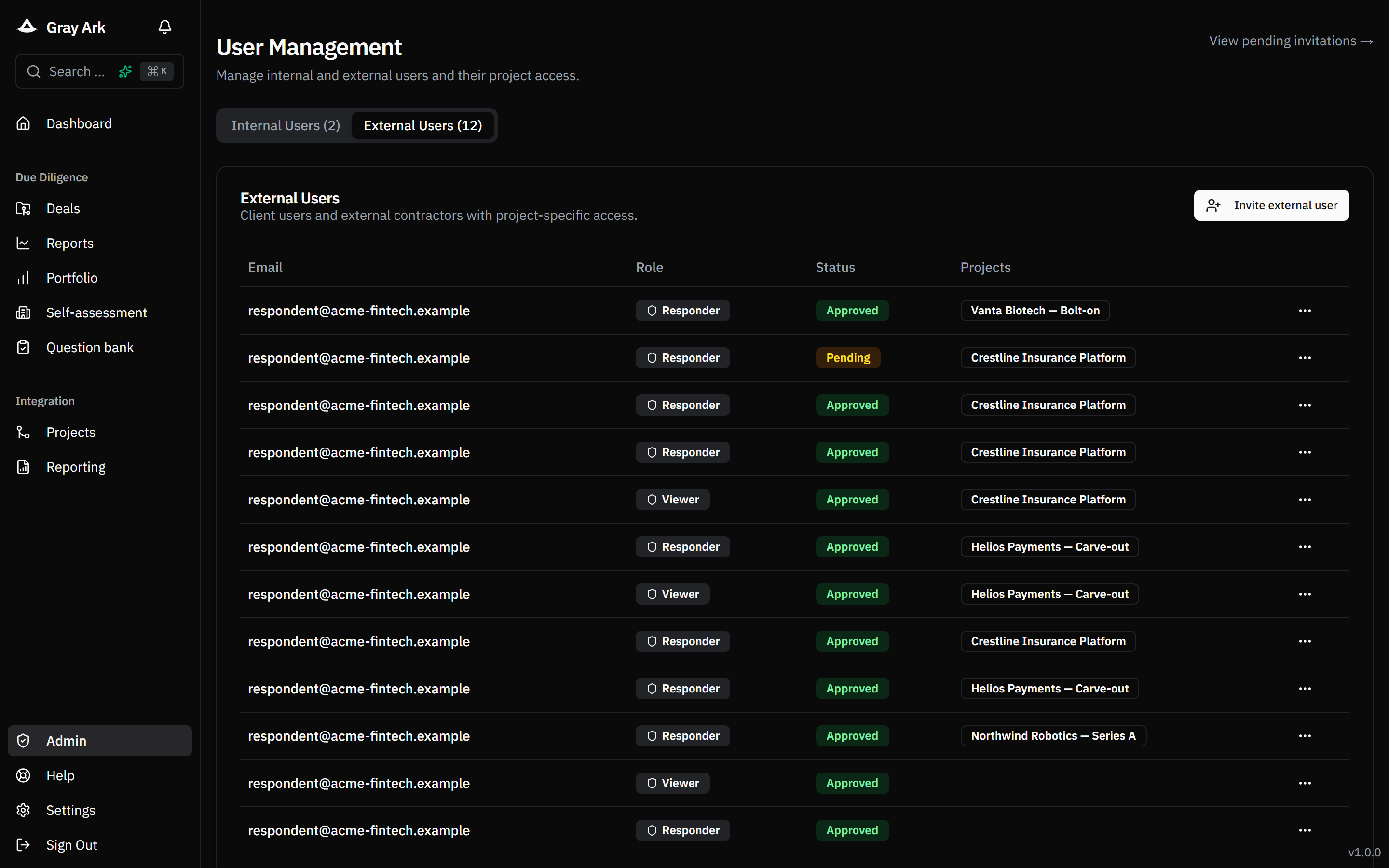
Controlled-access workspaces

Single-tenant per customer with SSO via your IdP. Internal vs external members; external respondents are invited accounts — not anonymous links — scoped to specific categories. Project, category and per-question permissions. Every mutation audit-logged.

Invite dialog with category scoping
15§ 15

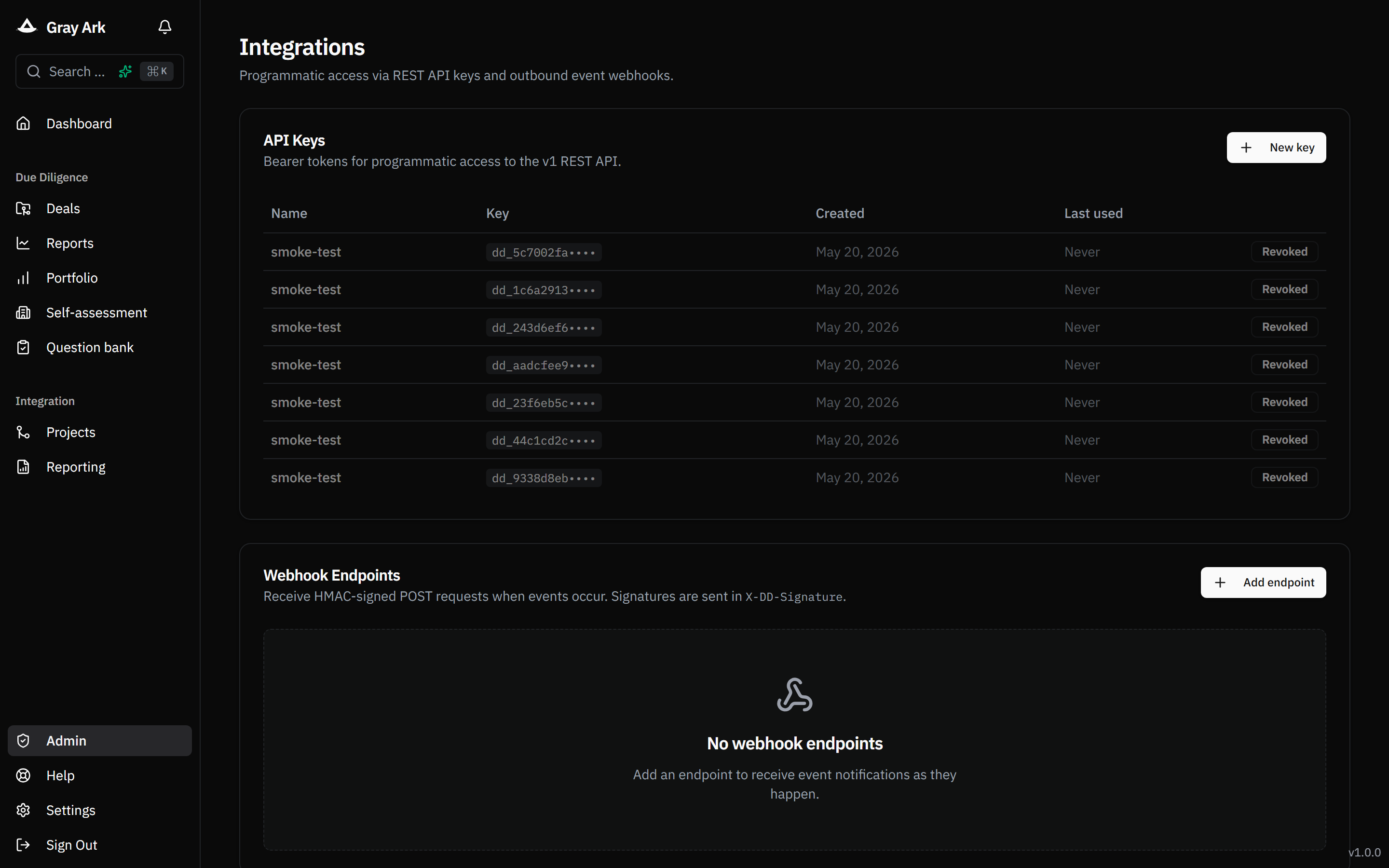
REST API + webhooks

Integrate the assessment workspace into your existing deal tools. Bearer-token REST API for projects, scores, inconsistencies and evidence. HMAC-signed webhooks for project, task and report events with replay-safe signatures.

Admin integrations with API keys and webhooks tables
16§ 16

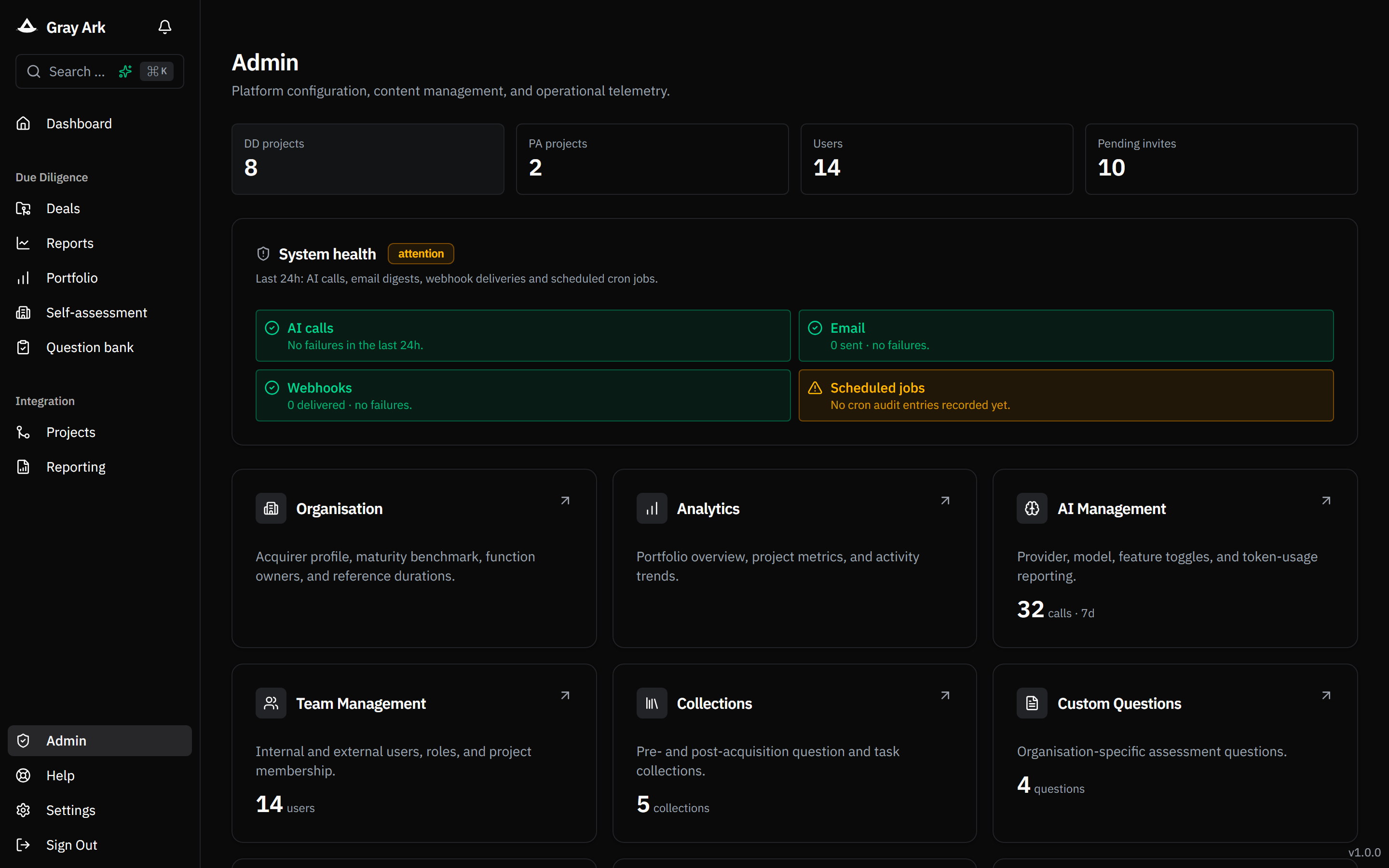
Operational telemetry

A built-in system-health card on the admin dashboard flags AI / email / webhook / cron failures in the last 24 hours so you find out about problems before users do. Daily task digests email every owner their overdue and upcoming integration tasks.

Admin page with system-health card